As an Amazon Associate, we earn from qualifying purchases. Some links on this site are affiliate links at no extra cost to you. Our recommendations are based on thorough research and editorial judgment.

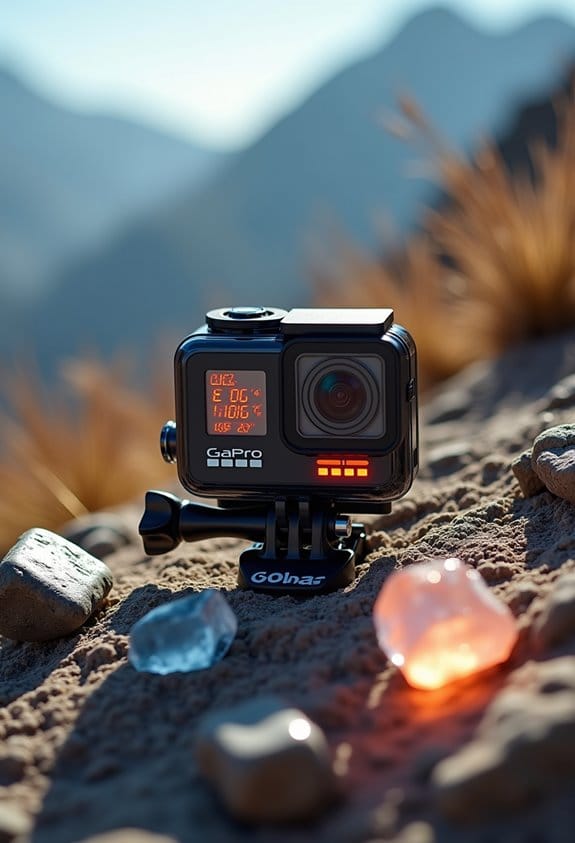
Action Camera Overheating: Causes, Warning Signs, and Prevention

Action cameras overheat due to powerful processors, extended filming, and high temperatures. Signs include sudden shutdowns, temperature warnings, and hot surfaces. To prevent overheating, use lower resolutions, take breaks every 15-30 minutes, and guarantee good ventilation. Turn off non-essential features, and avoid direct sunlight. Using a tripod can help maintain airflow. Manage battery levels to reduce strain. Following these guidelines will protect your camera’s performance and longevity. Explore further to understand more effective strategies.
Key Takeaways
- Action cameras overheat due to powerful processors, extended recording times, and high ambient temperatures.
- Warning signs include sudden shutdowns, temperature alerts, and noticeable hot surfaces on the camera.
- To prevent overheating, use lower recording resolutions and allow regular breaks for cooling.
- Keep the camera in shaded areas and maintain proper ventilation to reduce heat accumulation.
- Utilize accessories like cooling pads and extra batteries for better heat management during extended filming.
What Causes Action Cameras to Overheat?

You may be interested


Hey there! You know, action cameras can really heat up, and this typically happens because of how they’re built—those powerful processors and sensors that help us record in amazing 4K resolution can be a bit much. If you’re filming a long session without giving the camera a break, it’s bound to get hot. Think about it like running a marathon; you wouldn’t expect to jog endlessly without a water break, right?
Also, the environment plays a huge role. If you’re out in the sun, the heat adds to the camera’s temperature, which isn’t good for its health. Plus, if you’re using features like Wi-Fi or GPS while recording, those extra tasks can crank up the heat even more. One way to manage this is to take breaks during your filming sessions, letting the camera cool down. And don’t forget to check the weather before you head out, especially on a hot day!
Manufacturers have thought about these issues, too; that’s why many action cameras come with safety features, like an automatic shutdown if they get too hot. Keeping an eye on how you’re using your camera can really help extend its life. Speaking of which, let’s talk about some tips to keep your action camera running smoothly! Remember that electronic image stabilization also requires power and processing, which can contribute to overheating.
Spotting Overheating: Key Warning Signs to Look For

If you’ve got an action camera, you’ll want to keep an eye out for those early signs of overheating. One big clue is if your camera suddenly shuts down while you’re recording. This usually means it’s getting too hot and is trying to cool itself down. So, if that happens mid-shot, give it a break and let it cool off before filming again.
Another thing to look for is any odd error messages popping up on the screen. Those messages are your camera’s way of saying, “Hey, cool me down!” If you see those, it’s a good time to pause filming. Also, listen for any strange sounds from your camera. It might be some internal parts getting affected by the heat, which isn’t a good sign.
You might also notice your battery seems to drain faster than usual. When the temperature rises, the battery has to work overtime, which can shorten its life. And if your pictures are coming out grainy or noisy, that’s a red flag, too. It’s best to give it a rest and cool it down in those cases. Keeping an eye on these signs can really save your camera from some serious damage down the line. Speaking of which, let’s talk about how to properly cool your camera when these issues arise.
Avoid recording at the highest resolutions or using Wi-Fi connectivity during intense use to help manage battery life considerations and reduce overheating risks.
Maximizing Recording Time: How to Avoid Overheating?

Hey there! So, if you’re looking to maximize your recording time with your action camera and avoid that annoying overheating issue, I’ve got some solid tips for you. First off, try adjusting the Auto Power OFF Temp. setting to High. This little tweak can really help you capture more footage without the camera shutting down due to heat.
Another great way to keep things cool is to use a tripod or any stable surface instead of holding the camera in your hands. It not only helps reduce the heat generated by your grip (especially when it’s hot out), but it can also improve your shot stability! And don’t forget to keep your camera out of direct sunlight. Just like us, they can get overheated if they’re out in the sun for too long.
You might also want to consider recording in lower resolutions like 1080p or 2.7K. Less intensive settings create less heat, which can really extend your recording time. Lastly, give your camera a little break every once in a while during long sessions. Just a few minutes to cool down can make a world of difference in keeping it in top shape.
Using an adjustable and non-slip head mount can also help maintain camera stability and minimize heat buildup caused by excessive movement or friction during activities.
Proven Techniques to Prevent Camera Overheating

Hey there! If you’re using an action camera for those epic adventures, you might have noticed that overheating can be a real pain. To keep your camera from getting too hot and shutting down during crucial moments, here are some solid tips.
First off, after filming for a while, give your camera a break and let it cool down for about 15 to 30 minutes. It’s amazing how much this simple step can help. Also, think about recording in lower resolutions like 1080p or 2.7K instead of jumping straight to 4K. Not only will this generate less heat, but it can also extend your recording time, especially during longer shoots.
Another great tip is to switch off any features you’re not using while capturing footage. This makes the camera’s job easier and helps keep it cool. And don’t forget to use a tripod! This not only helps with steady shots but can also create some space around the camera, allowing for better airflow.
Finally, if you can, try to shoot in cooler environments or find some shade for your camera to dodge those direct sun rays. Using mounts with adjustable components can also improve airflow and prevent heat buildup around your device. By following these tips, you’ll get smoother, uninterrupted recording sessions. Now that you’ve got the overheating issue in check, let’s talk about some creative angles to capture your adventures!
What to Do When Overheating Happens?

Hey there! So, let’s chat about what to do when your action camera starts to overheat. First thing’s first, when you notice it getting too hot, turn it off right away. This simple step helps cool it down before you use it again. You might see an error message pop up on the screen—those can often give you clues about the overheating issue, so keep an eye out for those.
Now, to keep your camera cool while you’re filming, it’s a good idea to avoid direct sunlight. If you’re outdoors, find some shade or even set up a little canopy if you can. It really makes a difference! If you find your camera keeps getting hot, try lowering the recording resolution. For instance, switching from 4K to 1080p can help take some pressure off the camera. You can also consider turning off features like Wi-Fi or GPS while shooting, as they can use extra processing power.
And don’t forget to give your camera regular breaks—like every 15 to 30 minutes—just to let it cool off a bit. This not only helps avoid overheating but also can improve the overall quality of your footage. Additionally, using a camera with efficient Electronic Image Stabilization can reduce internal processing strain that contributes to overheating. With these tips in mind, you’re well on your way to capturing some great shots without the heat getting in the way!
Best Practices for Long Recording Sessions
Hey there! So, if you’re planning to do some long recording sessions, it’s super important to keep an eye on your camera to prevent it from overheating. A simple way to do this is by using lower resolutions like 1080p or 2.7K since they don’t generate as much heat. Think of it like using a cooler setting on your air conditioner—it’s just easier on the system!
Another handy tip? Try giving your camera a little break every 15 to 30 minutes. Just let it cool down so it can keep performing at its best. You might also want to use a tripod for better stability while filming. Oh, and don’t forget to adjust the Auto Power OFF Temp. to High to avoid any low-temperature burns. It’s a small tweak, but it can make a difference!
Finally, shoot for shaded areas whenever you can. Direct sunlight can really crank up the temperature. Managing that will not only help with overheating but also extend the life of your camera. Using a durable and well-organized camera storage case can also protect your gear and make managing accessories during breaks much easier. With these easy steps in mind, you can enjoy long recording sessions without worrying about damaging your equipment! Ready to tackle your next filming project?
Frequently Asked Questions
What to Do When Your Camera Overheats?
When a camera overheats, the operator should implement cooling techniques, follow emergency tips by powering it down, and adhere to usage guidelines such as taking breaks and reducing recording settings to prevent further overheating.
How to Prevent a Gopro From Overheating?
To prevent overheating, one could employ cooling accessories, adjust to ideal settings, and utilize essential usage tips. This approach guarantees prolonged operation and enhances the experience, avoiding frustrations that could dampen the adventure.
How to Prevent a Dash Cam From Overheating?
To prevent a dash cam from overheating, proper placement away from direct sunlight is essential. Ensuring camera ventilation and utilizing models with temperature monitoring features can effectively reduce heat buildup, promoting longevity and performance.
Can Overheating Damage Your Camera?
Overheating can indeed turn a camera into a very expensive paperweight. Symptoms like sudden shutdowns illustrate its wrath, jeopardizing camera lifespan and testing heat dissipation skills. It’s a dramatic tale of electronics versus temperatures!


