As an Amazon Associate, we earn from qualifying purchases. Some links on this site are affiliate links at no extra cost to you. Our recommendations are based on thorough research and editorial judgment.


10 Best Data Transfer Cables for Quick and Hassle-Free Transfers

To make quick and hassle-free data transfers, you need reliable cables. Consider using the Plugable USB Transfer Cable for Windows PCs, or the 10Gbps USB-C Data Cable for fast charging. For high-speed performance, try the Silkland USB 4 Thunderbolt Cable. Don’t overlook the CONMDEX Android Auto USB Type C Cable for compatibility. Pay attention to factors like length, durability, and design to prevent damage. Each cable has unique advantages—keep exploring to find the perfect fit for your needs.
Key Takeaways
- Look for USB-C data cables offering up to 10Gbps speeds for faster transfers and efficient charging for modern devices.
- Consider specialized high-performance cables like the Silkland USB 4 Thunderbolt Cable for ultimate transfer speeds of 40Gbps and high-resolution support.
- Opt for durable materials, such as military-grade nylon, to ensure longevity and resistance against everyday wear and tear.
- Choose the appropriate cable length based on proximity requirements, balancing flexibility with optimal transfer stability and speed.
- Ensure compatibility with your devices’ ports, such as USB-A, USB-C, or Thunderbolt, for hassle-free connectivity and performance.
| Plugable USB Transfer Cable for Windows PCs |  | Best for Windows PCs | Transfer Speed: Up to 480 Mbps | Charging Capability: No charging | Length: 6 ft (2 m) | VIEW LATEST PRICE | Read Our Analysis |
| USB-C Data Cable 10Gbps 6ft for Fast Charging |  | Fastest Charging Option | Transfer Speed: Up to 10 Gbps | Charging Capability: 3.1A fast charging | Length: 6 ft | VIEW LATEST PRICE | Read Our Analysis |
| Silkland USB 4 Thunderbolt Cable (4FT 40Gbps) |  | High-Speed Data Transfer | Transfer Speed: Up to 40 Gbps | Charging Capability: Up to 240W | Length: 4 ft | VIEW LATEST PRICE | Read Our Analysis |
| CONMDEX Android Auto USB Type C Cable (2-Pack) | 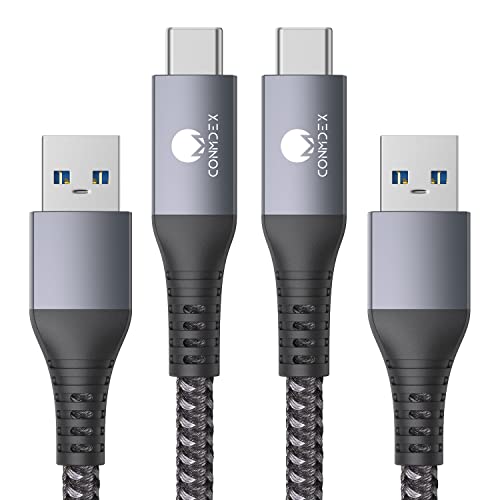 | Best for Android Auto | Transfer Speed: Up to 10 Gbps | Charging Capability: Fast charging to 9V/3.1A | Length: 3 ft (2 Pack) | VIEW LATEST PRICE | Read Our Analysis |
| 3FT USB 4 Gold-Plated Thunderbolt 4 Cable | 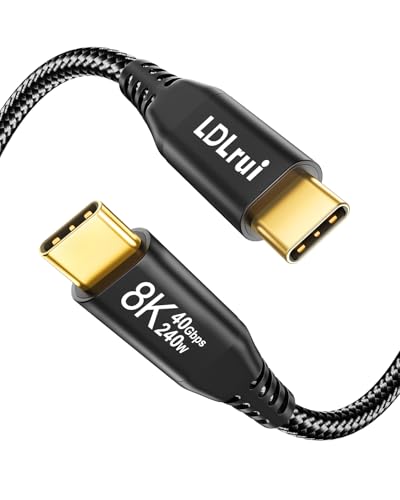 | Premium Display Support | Transfer Speed: Up to 40 Gbps | Charging Capability: Up to 240W | Length: 3 ft | VIEW LATEST PRICE | Read Our Analysis |
| Plugable USB 3.0 Transfer Cable for Windows PCs |  | Reliable Legacy Transfers | Transfer Speed: Up to 5 Gbps | Charging Capability: No charging | Length: 6 ft | VIEW LATEST PRICE | Read Our Analysis |
| Plugable USB Data Transfer Cable (6.6ft USBC-TRAN) |  | Versatile USB-C Connectivity | Transfer Speed: Up to 5 Gbps | Charging Capability: No charging | Length: 6.6 ft | VIEW LATEST PRICE | Read Our Analysis |
| USB 3.0 Male to Male Double Sided Cable | 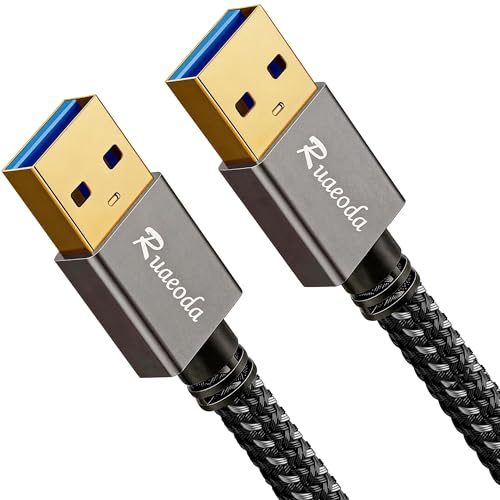 | Multi-Purpose Use | Transfer Speed: Up to 5 Gbps | Charging Capability: No charging | Length: 3 ft | VIEW LATEST PRICE | Read Our Analysis |
| LDLrui USB C to USB A Fast Charge Cable |  | Universal Compatibility | Transfer Speed: Up to 10 Gbps | Charging Capability: Up to 3A fast charging | Length: 3 ft | VIEW LATEST PRICE | Read Our Analysis |
| C to C 240W Fast Charging Data Cable Lanyard |  | Innovative Wearable Design | Transfer Speed: Up to 480 Mbps | Charging Capability: 240W | Length: Not specified | VIEW LATEST PRICE | Read Our Analysis |
You may be interested


More Details on Our Top Picks
Plugable USB Transfer Cable for Windows PCs
Looking to transfer files between two Windows PCs quickly and efficiently? The Plugable USB Transfer Cable (model USB-EASY-TRAN) is your ultimate solution!
Key Features:
- 6-Foot Cable: Plenty of length for easy setup.
- No Network Required: Transfer files directly without needing a Wi-Fi connection.
- Easy Installation: Just connect both PCs, install the included Bravura Easy Computer Sync software, and you’re ready to go.
- Wide Compatibility: Supports Windows 11 all the way down to XP.
Benefits:
- Fast File Transfers: Quickly move documents, photos, music, and videos without hassle.
- User-Friendly Process: Simple prompts guide you through the transfer; no tech expertise needed.
- Reinstall Applications on New PC: While apps need to be reinstalled, the process is straightforward and efficient.
Make your file transfer process a breeze. Don’t wait! Get your Plugable USB Transfer Cable today and enjoy seamless file transfers between your PCs.
- Transfer Speed:Up to 480 Mbps
- Charging Capability:No charging
- Length:6 ft (2 m)
- Compatibility:Windows only
- Software Inclusion:Yes, Bravura software
- Durability:Standard durability
- Additional Feature:Easy Computer Sync software
- Additional Feature:6 ft cable length
- Additional Feature:Compatible with older PCs
USB-C Data Cable 10Gbps 6ft for Fast Charging
Transform Your Device Experience with the USB-C Data Cable 10Gbps 6ft!
Looking for a reliable cable that offers both fast charging and speedy data transfer? This USB-C Data Cable is built for you. Take a look at its impressive features:
- Blazing Data Transfer Speeds: Enjoy lightning-fast data transfer rates of up to 10Gbps. This means moving large files is quicker than ever—twice as fast as traditional USB 3.0 cables.
- Rapid Charging: Power up your devices in no time! Charge your Samsung S10 to 50% in just 30 minutes. That’s 30% faster compared to regular cables.
- Versatile Compatibility: Perfect for connecting various devices—including the latest iPhone 16 and Samsung Galaxy S24. This cable is designed for today’s tech-savvy needs.
- Robust and Durable: Built to last, it handles over 50,000 bends. This means you can trust it to withstand daily wear and tear.
- Secure Connection: Enjoy peace of mind with its snug fit, ensuring a stable connection that prevents interruptions.
Don’t settle for less! Upgrade your tech experience with the USB-C Data Cable 10Gbps 6ft. Grab yours today and experience the difference in speed and reliability!
- Transfer Speed:Up to 10 Gbps
- Charging Capability:3.1A fast charging
- Length:6 ft
- Compatibility:Universal Type-C devices
- Software Inclusion:No
- Durability:Military-grade nylon
- Additional Feature:Finder’s Red color
- Additional Feature:Military-grade braided nylon
- Additional Feature:50,000+ bend tested
Silkland USB 4 Thunderbolt Cable (4FT 40Gbps)
Experience lightning-fast data transfers with the Silkland USB 4 Thunderbolt Cable! This 4-foot wonder is perfect for anyone who values speed and efficiency. Here’s what makes it a must-have:
- Blazing Fast Speeds: Transfer data at an incredible 40Gbps—that’s four times faster than USB 3.2! Imagine copying a 10GB file in mere seconds.
- High-Wattage Charging: Need to charge your devices? This cable supports charging up to 240W, making it ideal for laptops and other power-hungry devices.
- Stunning Visuals: Connect to displays with stunning clarity—supporting up to 8K at 60Hz for an enhanced viewing experience.
- Built to Last: Made with a durable design that includes EMI resistance and a braided exterior, this cable won’t tangle and is built for the long haul.
Ready to boost your efficiency? Don’t settle for slow connections. Make the switch to the Silkland USB 4 Thunderbolt Cable today and elevate your digital experience!
- Transfer Speed:Up to 40 Gbps
- Charging Capability:Up to 240W
- Length:4 ft
- Compatibility:Thunderbolt/USB compatible
- Software Inclusion:No
- Durability:Braided design
- Additional Feature:E-Marker chip included
- Additional Feature:Daisy Chain support
- Additional Feature:Aluminum shell durability
CONMDEX Android Auto USB Type C Cable (2-Pack)
Introducing the CONMDEX Android Auto USB Type C Cable (2-Pack) – your ultimate accessory for seamless connectivity!
Product Highlights:
- Lightning-Fast Data Transfer: Enjoy file transfers at speeds up to 10Gbps. Say goodbye to waiting! Transfer 4K movies or full photo libraries in just seconds.
- Rapid Charging: Experience the convenience of fast charging at 9V/3.1A. Charge your devices 40% faster than standard options!
- Durable Design: Built to last, these cables feature a nylon braided structure and robust copper cores. No more frayed cables or unreliable connections.
- Versatile Compatibility: Perfect for Android Auto and compatible devices. Get the most out of your electronics without worrying about wear and tear.
Why Choose CONMDEX?
- Save time and enhance your productivity with rapid data transfers.
- Keep your devices powered up and ready for action with quick charging capabilities.
- Enjoy peace of mind knowing your cables are designed for durability and performance.
Ready to upgrade your connectivity? Don’t miss out! Grab your CONMDEX USB Type C Cable Pack today and experience the difference.
- Transfer Speed:Up to 10 Gbps
- Charging Capability:Fast charging to 9V/3.1A
- Length:3 ft (2 Pack)
- Compatibility:Android Auto/CarPlay and others
- Software Inclusion:No
- Durability:Braided and aluminum alloy
- Additional Feature:Tangle-free nylon design
- Additional Feature:Includes 2 cables
- Additional Feature:40% faster charging
3FT USB 4 Gold-Plated Thunderbolt 4 Cable
Looking for a cable that enhances your tech experience? The FT USB 4 Gold-Plated Thunderbolt 4 Cable is your go-to solution. Perfect for professionals and tech enthusiasts alike, this cable combines performance and reliability.
Key Features:
- Lightning-Fast Speeds: Achieve transfer speeds up to 40Gbps. Move large files, like a 14-hour HD video or 25,000 photos, in just one minute.
- Stunning Visuals: Supports 8K@60Hz and dual 4K@60Hz displays. Ideal for media work, presentations, and gaming.
- Power Up Efficiently: Enjoy 240W fast charging to keep all your devices powered and ready to go.
- Built to Last: Durable nylon exterior resists wear and tear, ensuring longevity in your setup.
- Lifetime Warranty: Feel secure in your choice with a warranty that stands the test of time.
Don’t settle for less when it comes to your tech needs. Upgrade to the FT USB 4 Gold-Plated Thunderbolt 4 Cable and experience the difference. Order yours today and elevate your data transfer and display capabilities!
- Transfer Speed:Up to 40 Gbps
- Charging Capability:Up to 240W
- Length:3 ft
- Compatibility:Thunderbolt/USB compatible
- Software Inclusion:No
- Durability:Braided nylon
- Additional Feature:Gold-plated connectors
- Additional Feature:Lifetime warranty support
- Additional Feature:Supports 8K visuals
Plugable USB 3.0 Transfer Cable for Windows PCs
Effortlessly transfer data between Windows PCs with the Plugable USB 3.0 Transfer Cable. Experience fast and efficient connections like never before!
Key Features:
- Super-Fast Transfers: Enjoy file synchronization up to three times faster than USB 2.0. Save time on your important projects!
- Flexible File Management: Drag and drop files, sync folders, or perform one-way transfers to fit your needs. Control how your data is shared!
- Easy Setup: Simply connect the cable to both computers and install the included Bravura Easy Computer Sync software on each. It’s that straightforward!
- Support for Applications: Keep in mind that you will need to reinstall applications, as they don’t transfer automatically.
- Lifetime Support: Have questions or need assistance? Reach out to our North American connectivity experts. We’re here to help you!
Don’t let cumbersome data transfers slow you down. Get the Plugable USB 3.0 Transfer Cable today and experience seamless connections between your Windows PCs. Click the link to improve your data transfer experience now!
- Transfer Speed:Up to 5 Gbps
- Charging Capability:No charging
- Length:6 ft
- Compatibility:Windows only
- Software Inclusion:Yes, Bravura software
- Durability:Standard durability
- Additional Feature:High-speed up to 3x
- Additional Feature:Drag-and-drop functionality
- Additional Feature:Lifetime North American support
Plugable USB Data Transfer Cable (6.6ft USBC-TRAN)
Looking for a dependable way to transfer files between computers? Check out the Plugable USB Data Transfer Cable (6.6ft, USBC-TRAN). This cable is the perfect solution for anyone needing quick and easy file transfers.
Key Features:
- Direct Connection: Link two PCs for seamless data transfer.
- High Speed: Enjoy rapid file transfers at speeds up to 5Gbps.
- Easy Setup: Connect the cable, install the included Bravura Easy Computer Sync software, and you’re ready to go.
- Wide Compatibility: Works with a range of Windows systems, from XP to 11.
Benefits:
- No External Drives Needed: Say goodbye to the complications of external drives and cloud services.
- Secure Transfers: Protect your files with direct, cable-based transfers.
- Effortless Migration: Move files quickly and effectively, saving you time.
Don’t risk data loss with unreliable methods. Choose the Plugable USB Data Transfer Cable for efficient file migration. Get yours today and simplify your transfer process!
- Transfer Speed:Up to 5 Gbps
- Charging Capability:No charging
- Length:6.6 ft
- Compatibility:USB-C/USB 3.0
- Software Inclusion:Yes, Bravura software
- Durability:Standard durability
- Additional Feature:Versatile USB configurations
- Additional Feature:Fast 5Gbps transfer speed
- Additional Feature:Secure PC-to-PC transfers
USB 3.0 Male to Male Double Sided Cable
Looking to transfer data at lightning speed? The USB 3.0 Male to Male Double Sided Cable is your perfect solution. Designed for both professionals and tech enthusiasts, this cable ensures efficient connections between your devices.
Key Features:
- 3-Foot Length: Perfect for connecting hard drives, laptops, printers, and more.
- High-Speed Data Transfer: Achieve speeds up to 5 Gbps—that’s ten times faster than USB 2.0.
- Plug and Play: No drivers needed; just plug it in and go.
- Double Sided Design: Connect easily without worrying about orientation.
Why Choose This Cable?
- Reliable Performance: Experience hassle-free transfers without risking damage to your equipment.
- Versatile Use: Ideal for backing up files, transferring data, or connecting devices at home or the office.
Don’t let slow data transfers hold you back. Invest in the USB 3.0 Male to Male Double Sided Cable and enjoy seamless connectivity. Order yours today and experience the difference!
- Transfer Speed:Up to 5 Gbps
- Charging Capability:No charging
- Length:3 ft
- Compatibility:USB 3.0 devices only
- Software Inclusion:No
- Durability:Braided shield
- Additional Feature:Aluminum alloy connectors
- Additional Feature:Plug-and-play setup
- Additional Feature:Suitable for diverse devices
LDLrui USB C to USB A Fast Charge Cable
Introducing the LDLrui USB C to USB A Fast Charge Cable—your go-to solution for rapid charging and efficient data transfer!
Why Choose the LDLrui Fast Charge Cable?
- Fast Charging Power: Enjoy 3A power support that charges your Samsung Galaxy S22 from 0 to 60% in just 30 minutes! Never wait long for a battery boost again.
- Lightning-Fast Data Transfer: With a speed of 10Gbps, you can transfer files 20 times faster than traditional cables. Cut down on waiting and get back to what matters most.
- Ideal Length: This 3-foot cable is perfect for reaching your devices without creating clutter. Enjoy convenience wherever you use it.
- Built to Last: Designed for durability, it withstands over 10,000 bends. You can trust it to handle daily use without fraying or breaking.
Who Will Benefit?
Whether you’re a busy professional, student, or tech enthusiast, this cable is engineered to keep your devices charged and your data flowing swiftly.
Take action now! Experience reliable charging and data transfer with the LDLrui USB C to USB A Fast Charge Cable. Order yours today and enjoy hassle-free connectivity!
- Transfer Speed:Up to 10 Gbps
- Charging Capability:Up to 3A fast charging
- Length:3 ft
- Compatibility:Universal compatibility
- Software Inclusion:No
- Durability:Reinforced connector
- Additional Feature:Unique ABS case
- Additional Feature:10,000 bending cycles
- Additional Feature:Fast charging for Samsung
C to C 240W Fast Charging Data Cable Lanyard
Introducing the C to C 240W Fast Charging Data Cable Lanyard — your ultimate solution for on-the-go connectivity. Perfect for tech enthusiasts, this cable not only handles charging and data transfer but also adds convenience to your daily routine. Here’s why you need this innovative accessory:
- Fast Charging Power: Achieve charging speeds of up to 240W at 5A. Say goodbye to slow charging—power up quickly!
- High-Speed Data Transfer: Experience blazingly fast data transfer rates of up to 480 Mbps. Move your files in seconds!
- Wearable Design: The lanyard doubles as a stylish wristband. Keep it handy at all times – no more hunting for your cable!
- Durable Construction: Made with a nylon tab to resist tangling and wear. It’s built to withstand daily use without compromising performance.
- Universal Compatibility: Easily connect all your USB-C devices effortlessly, ensuring you have the right connection every time.
Don’t miss out on this practical, must-have accessory. Keep your devices charged and your data flowing with the C to C 240W Fast Charging Data Cable Lanyard. Add it to your cart today and experience the convenience for yourself!
- Transfer Speed:Up to 480 Mbps
- Charging Capability:240W
- Length:Not specified
- Compatibility:Type-C devices
- Software Inclusion:No
- Durability:Resistant to tangling
- Additional Feature:Wearable bracelet design
- Additional Feature:Maximum output power
- Additional Feature:Nylon tab attachment
Factors to Consider When Choosing a Data Transfer Cable
When you choose a data transfer cable, consider several key factors to guarantee peak performance. First, evaluate the transfer speed, as faster cables can save you time when syncing large files, but your devices must also be compatible. Additionally, check the cable’s durability and build quality to prevent wear and tear, which can lead to damage over time and slow charging capabilities.
Transfer Speed Considerations
Choosing the right data transfer cable involves carefully considering transfer speed, since it directly affects how quickly you can move files between devices. Look for USB 3.0 cables capable of up to 5Gbps for general use, or upgrade to USB 3.2 Gen 2 for speeds reaching 10Gbps, ideal for larger files. If you need even more speed, consider USB 4, offering an impressive 40Gbps, which can drastically reduce transfer times. Remember, faster cables often allow for high charging rates as well; USB-C cables, for instance, can manage 3.1A while transferring data swiftly. Verify the cable you select matches your needs, keeping in mind that backward-compatible cables may slow your transfers if connecting to older standards.
Cable Compatibility Requirements
Selecting the right data transfer cable requires careful attention to compatibility. First, verify the cable works with your devices’ operating systems; some cables only support Windows and might not function with macOS or Linux. Next, check the USB specifications; aim for USB 3.0 or 3.2 to achieve faster transfer speeds. Don’t forget to verify the connector types—USB-A, USB-C, or Thunderbolt—ensuring both ends match your devices. Also, consider backward compatibility; while modern cables can connect with older USB versions, speeds may be restricted to those older standards. Finally, if you need to use specific features like Android Auto or CarPlay, confirm the cable meets any special requirements these applications demand for full support.
Durability and Build Quality
While you might think all data transfer cables are created equal, the durability and build quality can greatly impact their performance and lifespan. Look for cables made with military-grade double-braided nylon, as these resist cuts and wear, guaranteeing long-term usability. A higher durability rating, especially those tested for over 10,000 bending cycles, indicates they can handle daily use without fraying. Choose cables with aluminum alloy connectors; they prevent wear and allow for better heat dissipation. Consider braided designs for added protection against tangling and breakage. Finally, cables featuring EMI-resistant materials and multiple layers of shielding enhance signal clarity and longevity. Prioritize these factors to prevent damage and guarantee reliable transfers.
Data Capacity and Format
When it comes to data transfer cables, understanding data capacity and format is essential for guaranteeing efficient file transfers. First, check the cable’s maximum data capacity—modern options support speeds from 480 Mbps for USB 2.0 to 40 Gbps for USB 4 and Thunderbolt. For quick transfers of large files, like 4K movies, opt for USB 3.1 or USB 3.2 cables, which offer up to 10 Gbps or higher. Next, ascertain compatibility, as some cables only work with specific ports such as USB-A, USB-C, or Thunderbolt. Finally, verify that the cable supports both your required transfer speed and the types of files you need to transfer. Not all cables are made equal, so choose wisely to prevent data bottlenecks.
Charging Speed Capabilities
To guarantee your devices charge quickly and safely, it’s essential to take into account the charging speed capabilities of your data transfer cable. Look for cables rated at higher amperes, like 3.1A, which can charge your devices considerably faster than standard 2.4A cables. Also, consider cables that support Power Delivery (PD) technology, allowing for up to 240W, which not only guarantees rapid charging but also enables data transfer. Opt for USB 3.2 Gen 2 cables for better charging capabilities compared to older USB 2.0 options. Remember, the actual charging speed may vary based on your device’s architecture, so always confirm compatibility. Finally, select cables made from quality materials like military-grade braided nylon to maintain consistent speed over time.
Length and Flexibility Options
Choosing the right length and flexibility for your data transfer cable is essential to guarantee both functionality and convenience. For close-proximity devices, opt for a 3-foot cable, ensuring minimal clutter. If you need more flexibility, consider longer cables, like 6 feet, to position devices comfortably apart without losing connectivity. Remember, shorter cables often offer better transfer speeds and connection stability, especially in high-speed scenarios. Also, prioritize flexibility; cables with tangle-free or braided designs, like nylon-braided options, resist wear and tangling, making them user-friendly. For travel or storage, select cables that can be coiled easily to prevent damage. Assess your setup carefully to balance length and flexibility, as choosing the wrong option could hinder your efficiency.
Frequently Asked Questions
What Is the Difference Between USB-A and USB-C Cables?
USB-A and USB-C cables differ greatly in design and function. USB-A is the larger, traditional connector you’ve likely used for years, while USB-C is smaller, reversible, and supports faster data transfer and charging. USB-C delivers power up to 100 watts, making it more versatile. When using these cables, verify compatibility with your devices to prevent damage. Always check specifications, as using the wrong type can lead to inefficient performance or harm your equipment.
Are Data Transfer Cables Compatible With All Devices?
No, data transfer cables aren’t compatible with all devices. Different cables fit specific ports, like USB-A or USB-C, impacting functionality. Always check your device’s port type before connecting. If you use an incompatible cable, you risk damaging your device or failing to transfer data. Adapters can bridge some gaps, but they may introduce transfer speed issues. Choose the right cable for your device to guarantee efficient and secure data transfer.
Can I Use a Data Transfer Cable for Charging?
Yes, you can use a data transfer cable for charging, but check compatibility first. Most cables are designed for both data transfer and power, but not all devices support this function. If a cable supports higher amperage, it can charge devices faster. To prevent damage, avoid using low-quality cables, as they might not deliver the correct voltage. Always use cables specifically designed for your device when possible to guarantee peak performance and safety.
How Long Should My Data Transfer Cable Be?
Your data transfer cable should be long enough to reach your devices comfortably but not so long that it causes signal degradation or tangling. Typically, cables between 3 to 6 feet are ideal for most settings. If you’re frequently moving your devices or need extra length, opt for up to 10 feet, but guarantee it’s a high-quality cable. Always avoid excessively long cables to prevent issues with data transfer speeds and potential damage.
What Speeds Can I Expect From Different Data Transfer Cables?
When choosing a data transfer cable, you can expect speeds ranging from USB 2.0’s 480 Mbps to USB 3.2’s impressive 20 Gbps or more. Higher speed cables reduce transfer time considerably. Confirm your devices support the cable’s specifications for ideal performance. If you need quick transfers, consider using USB-C or Thunderbolt cables. Always match the cable type to your device, or you may experience slower speeds and potential data transfer issues.


