As an Amazon Associate, we earn from qualifying purchases. Some links on this site are affiliate links at no extra cost to you. Our recommendations are based on thorough research and editorial judgment.

Cleaning Up Audio: Reducing Wind Rumble and Improving Voice Clarity

To clean up audio by reducing wind rumble and improving voice clarity, begin by applying a High Pass Filter set around 300 Hz to eliminate low-frequency noise. Use noise reduction tools in audio editing software and adjust settings to fit your environment. Consider duplicating audio tracks for better control. Employ compression to balance volume levels. Additionally, invest in windshields for microphones during recording. Master these techniques, and uncover advanced strategies to achieve superior audio quality.
Key Takeaways
- Apply a High Pass Filter around 300 Hz to effectively eliminate low-frequency wind noise from your audio recordings.
- Utilize AI-powered noise cancellation tools like Descript or Cleanvoice for tailored wind rumble reduction.
- Implement vocal isolation techniques to enhance spoken words while minimizing surrounding background sounds.
- Use multi-track editing to process audio systematically, adjusting tracks individually for clearer voice clarity.
- Employ compression techniques to balance volume dynamics, ensuring consistent audio quality throughout the recording.
Understanding the Impact of Wind Noise on Audio Quality

You may be interested


Hey! So, let’s talk about wind noise and how it can really mess up the audio quality when you’re outside. If you’ve ever tried recording someone on a breezy day, you know exactly what I mean. That annoying whooshing sound can totally drown out what you’re trying to capture, making it hard to hear any conversation clearly. Plus, if your gear has Automatic Gain Control (AGC), it might just crank up that wind noise instead of your voice, which is super frustrating.
One of the simplest ways to tackle wind noise is by using High Pass Filters. These filters help cut out those low rumbles caused by the wind, while keeping the higher frequencies intact, which is where the voices live. Think of it like a pair of noise-canceling headphones—you want to block out the unwanted sounds but still hear the important stuff.
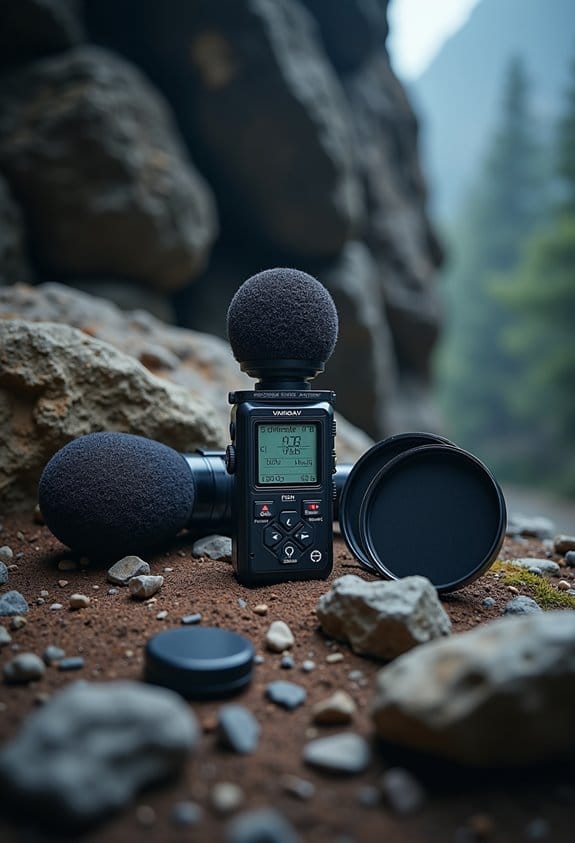
If you’re working on a video or an audio project, investing in good windshields for your microphones can also make a big difference. It’s like giving your mic a cozy hat on a windy day! By focusing on preventing wind noise from the get-go, you’ll save yourself a ton of time in post-production and get cleaner, more professional audio. Using noise-canceling technology built into certain microphones can further enhance audio clarity in outdoor environments. Now, let’s explore some other common audio issues and how to fix them!
Essential Tools for Reducing Wind Rumble in Your Recordings

If you want to achieve clear audio recordings outdoors, there are some essential tools that can really help you out. For instance, AI-powered tools like Descript and Cleanvoice can effectively reduce wind rumble, which is a common problem when you’re recording outside. These tools use advanced noise cancellation to keep your audio crisp, even when Mother Nature isn’t cooperating.
One useful trick is to use a High Pass Filter set around 300 Hz. This helps to filter out those low-frequency rumbling sounds from the wind while still capturing your voice nicely. You can also consider using multi-track editors, which allow you to target noise removal on specific tracks. This means you can ensure everything sounds synchronized and keeps the vocal integrity intact.
If you’re not the tech-savvy type, don’t worry. There are one-click audio enhancers that can automatically clean up background noise, making your recordings sound more professional with minimal effort. It’s also a good idea to regularly test different levels of noise cancellation—like Mild, Normal, or Aggressive—to see what works best for your specific environment. Utilizing these tools will go a long way in improving your audio quality, allowing you to capture those beautiful outdoor moments more effectively.
To protect and organize your audio recording gear during outdoor sessions, investing in a durable camera storage case ensures your equipment stays safe and easily accessible.
How to Clean Up Your Audio: A Step-by-Step Guide

When you’re trying to capture high-quality audio, a little cleanup can go a long way! To start, apply a high-pass filter around 300 Hz. This simple step helps get rid of annoying wind noise and other low-frequency sounds, all while keeping your voice clear. For instance, if you’ve recorded outdoors, this can really help your dialogue pop against natural background noise.
Next up, consider using the noise reduction tools in your audio editing software. Each space has its own unique sounds, so you’ll want to tweak the settings to suit your environment. If you’re in a bustling café, you might need to be more aggressive with noise reduction than if you’re in a quiet room. A handy trick is to duplicate your audio track—process one with noise reduction and leave the other as is. This way, you can mix them together to create a cleaner sound.
Voice isolation settings can be your best friend too, especially for minimizing distractions. These settings focus on boosting vocal frequencies while damping any unwanted background noise. Finally, don’t forget about compression! Adjusting the volume dynamics will keep your audio level consistent, making it sound more polished overall. Just remember, the goal is to improve your audio without making it sound over-processed.
Also, when recording outdoors, using a camera with a built-in wind noise reduction feature, such as some Drift Ghost models, can significantly enhance your initial audio quality before editing.
Improving Clarity After Cleaning Your Audio

Hey there! Let’s talk about how to improve clarity in your audio after you’ve cleaned it up. It’s key to get that professional sound that really pops. A great first step is to apply a high-pass filter around 300 Hz. This helps cut out annoying background noises, like wind, while keeping your voice nice and clear.
Next, think about using vocal isolation techniques. This means focusing on highlighting the spoken words and reducing any distracting sounds around them. If you have access to multi-track noise removal tools, that’s a fantastic way to edit each audio track separately. For instance, if someone’s voice is a bit buried under noise, those advanced tools can really bring it forward, making it sound crisp.
Don’t forget to play around with the compression settings too! This helps balance out any volume fluctuations that wind noise might cause. So, if one part of your recording is louder than another, compression can level it out for a smoother listening experience. Make sure to keep tweaking your EQ settings as you go along to get the best clarity for your voice. Using accessories like the Media Mod can also enhance audio quality directly during recording, reducing the need for extensive post-processing.
How to Achieve Studio-Level Sound Quality?

If you want to achieve studio-level sound quality, there are some straightforward techniques that can make a big difference in your recordings. One of the first things to consider is removing wind noise—it’s super distracting! You can do this by using a High Pass Filter set around 300 Hz. This nifty tool helps cut out those low-frequency rumbles so your audio sounds cleaner.
Next, let’s talk about enhancing clarity, especially for vocals. Have you ever noticed how some recordings just pop? That’s often thanks to voice cleaner tools that boost the quality of your vocals—turning what might be an average track into something special. Another handy trick is using multi-track noise removal technology. This allows you to clean up different audio sources all at once while keeping everything in sync. Imagine recording a podcast with multiple microphones; this tech helps ensure that every voice sounds crisp and clear.
Finally, you’ll want to tackle volume fluctuations to keep everything balanced. Compression techniques come in handy here. For instance, if someone whispers at one point and then suddenly speaks loudly, compression ensures the quiet parts are still audible while the loud bits don’t blast your ears. By using these simple yet effective methods, you can elevate your recordings to a professional level, making them ready to impress on any platform. Curious about how to get started with these tools? Let’s explore some specific software options next! Using a shotgun microphone with an integrated windscreen can also significantly reduce unwanted noise during recording.
Advanced Strategies for Polishing Your Audio
If you want your audio to truly shine, mastering a few advanced techniques is key. For starters, try applying a High Pass Filter around 300 Hz. This simple step cuts out pesky wind noise without sacrificing the clarity of vocals, letting your message come through loud and clear.
Next, take advantage of the “Isolate Vocals” feature found in many audio editing tools. This setting fine-tunes your audio by focusing on the frequencies where speech occurs, making dialogue pop against any background sounds. For example, if you have a podcast, this can make your guests’ voices much easier to hear over background music.
Another great tip is to use compression. This technique helps even out volume fluctuations, so one moment you’re not straining to hear and the next you’re not blasted by the loud parts. Just remember to duplicate your original audio track before you start playing around with any effects—this way, you’ll always have that unprocessed version as a backup.
Lastly, consider layering multiple tracks, centered around your main audio. This can help mask any lingering noise you might not have removed during editing. It’s like putting a nice blanket over all those awkward sounds. With these strategies in your toolkit, you’re well on your way to elevating your audio game. Now, let’s move on to some simple editing techniques to further enhance your audio project! Additionally, ensuring you have ample storage and fast write speeds on your memory card can prevent interruptions during recording and editing sessions.
Frequently Asked Questions
How to Enhance Audio Clarity?
To enhance audio clarity, mastering microphone selection, optimizing recording environments, employing effective audio compression techniques, and adjusting equalization settings can greatly improve sound quality, creating a clearer and more engaging listening experience for the audience.
Is There a Way to Remove Wind Noise From Audio?
Yes, wind noise can be removed from audio using specialized audio filters and noise reduction techniques. Effective recording techniques, such as employing windshields or high pass filters, further enhance clarity and minimize unwanted interference during recordings.
Can a Voice Cleaner Improve Voice Quality?
In a garden of sound, a voice cleaner prunes away background noise, allowing vocal presence to flourish. Through expert audio editing and innovative software solutions, it enhances clarity, cultivating an environment where communication blooms effectively.
Can Voice Enhancers Improve Clarity?
Voice enhancers markedly improve clarity through advanced voice filtering techniques and digital audio processing. Utilizing vocal enhancement plugins, they effectively enhance sound recordings, ensuring clearer dialogue and an overall better listening experience for audio consumers.


