As an Amazon Associate, we earn from qualifying purchases. Some links on this site are affiliate links at no extra cost to you. Our recommendations are based on thorough research and editorial judgment.


Finding the “Hero Moments”: How to Pick Highlights From Hours of Footage

To find hero moments in extensive footage, start by adjusting playback speed to 1.5x or 2x for faster review. Focus on clips lasting 30 seconds to 2 minutes, as they engage viewers effectively. Use timestamping to mark significant events. Employ online editing tools for efficient trimming and utilize annotations for quick highlight identification. Confirm smooth shifts and thematic consistency when merging clips. By following these steps, one can enhance storytelling and audience connection—more guidance awaits.
Key Takeaways
- Use playback speed adjustments to 1.5x or 2x for quicker identification of standout moments in extensive footage.
- Select clips lasting between 30 seconds to 2 minutes, as they effectively maintain viewer interest and highlight key events.
- Look for emotionally charged moments or lively interactions in live streams, which typically resonate well with audiences.
- Employ timestamping to mark significant highlights and streamline the editing process by facilitating easy revisiting of noteworthy clips.
- Smoothly merge clips with clear setups and payoffs to create engaging narratives and enhance emotional continuity in highlight videos.
What Are Hero Moments and Why Do They Matter?

You may be interested


Hey there! Have you ever heard of hero moments in videos? They’re those standout highlights that really pack a punch, showcasing key events or emotions that grab our attention. Think about the climactic scene in an action movie or a heartwarming moment in a documentary. These moments are essential for keeping viewers hooked.
Focusing on hero moments is a great way to boost viewer engagement. For example, if you’re editing a travel vlog, highlighting a breathtaking sunset or a funny mishap can make all the difference. These moments often spark strong reactions—like laughter or inspiration—which leads to better retention.
When you strategically choose these hero moments from your footage, you create a more compelling story that people are excited to share online. It not only draws in viewers but also helps build a connection between them and your content. The more relatable and impactful those moments are, the more likely they are to resonate with an audience. So, keeping an eye out for those highlights is key to enhancing your storytelling! Using cameras equipped with advanced stabilization technology can help capture these moments clearly and smoothly, making your hero moments even more striking.
How to Spot Key Highlights Easily
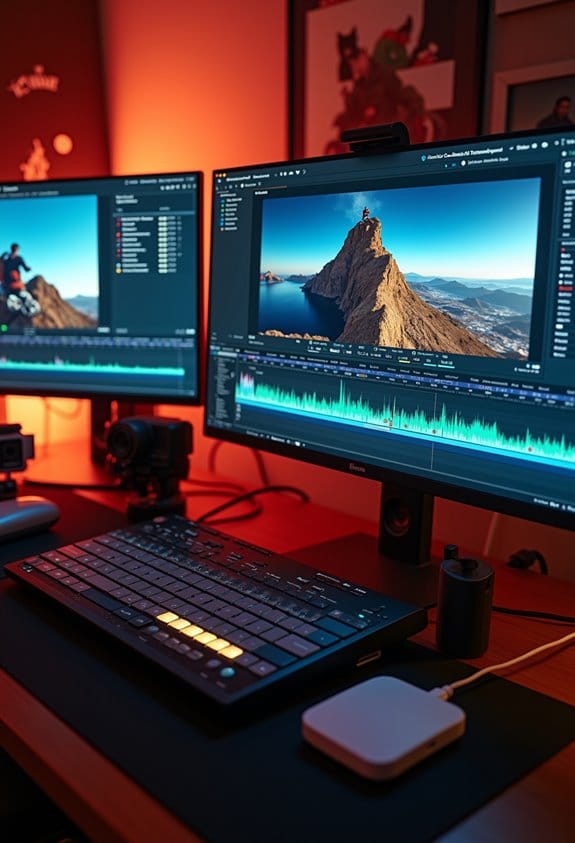
Spotting key highlights in your footage can be a game of finesse, but it doesn’t have to be complicated! First things first, try cranking up the playback speed to about 1.5x or 2x. This little trick lets you zip through the video and home in on the parts that stir up emotions or bring the laughs. For example, if you’re watching a comedy show, those infectious laughter moments can be great indicators to flag.
As you go through the video, keep a keen eye on clips that run between 30 seconds to 2 minutes. These lengths generally keep viewers engaged, making them perfect for highlights. If you’re watching a live stream, pay attention to when the chat gets super lively; those spikes usually point to moments that resonate with the audience.
Also, think about the story the footage tells. Look for setups and payoffs that connect the dots, creating a sense of flow. And don’t worry about making your life harder by sifting through unnecessary content. Use online editing tools to chop out the filler, making it easier to curate those standout moments. This way, your highlight selection not only saves time but also keeps the excitement alive for your audience. Now that you’ve got the highlights sorted, let’s move on to how to polish those clips for the final cut! Choosing stable mounting options during shooting can also help ensure your footage is smooth and easy to edit later.
Essential Tools for Selecting Hero Moments

Hey there! So, if you’re getting into video editing and want to highlight those memorable hero moments, picking the right tools can make a world of difference. For starters, try using playback speed features, like 1.5× or even 2×. This lets you zoom through longer videos quickly, making it much easier to spot those impactful segments that stand out.
As you watch, it’s super helpful to flag timestamps for potential hero moments. You don’t want to forget that great scene you just saw! Imagine you’re watching a sports highlight reel—if you find a breathtaking goal, note the timestamp so you can come back to it later. And when it’s time to trim your clips, online video editing tools can help you cut out the unnecessary stuff without having to deal with long render times.
Another neat trick is using annotation tools to mark those interesting highlights. This way, you can keep track of all the cool changes and make sure you don’t lose any valuable content. Oh, and have you ever tried auto-transcription features? They can pinpoint critical dialogue that can become standout moments, which is super useful during editing. By harnessing these tools, you’ll save time and streamline your editing process. Additionally, incorporating high-quality lighting can significantly improve the visibility of your hero moments during playback. So, what’s next on your editing journey?
What Is the Sniper Cut Technique for Efficient Clip Trimming?

Hey! Have you ever heard of the Sniper Cut technique for video editing? It’s a super efficient way to trim clips and really helps when you’re sifting through a lot of footage. Basically, you speed up the playback—think about 1.5× or even 2×. By doing this, you can quickly spot those awesome moments that really stand out.
For instance, while watching a long interview, you can easily flag timestamps where someone shares a powerful insight or a funny anecdote. From those highlights, you can extract around 2-5 clips, each lasting between 30 seconds to 2 minutes. And while you’re at it, make sure to cut out any dead air, filler words, or tangents. This not only sharpens your video but also keeps your audience engaged!
To make the whole trimming process smoother, consider using online video editors. They’re super handy for quick edits and help you maintain your flow without much fuss. Overall, the goal with the Sniper Cut is to create content that’s not just memorable but also encourages your viewers to interact with it, especially on social media. Speaking of social media, let’s talk about how to choose the right platform for your audience.
Also, when filming in aquatic environments, using floating hand grips can help you capture stable footage without the risk of losing your camera in the water.
How to Merge Clips for Compelling Narratives

Merging clips to create a compelling narrative is all about thoughtful planning—it’s key to keeping your audience hooked! Start by pinpointing those moments in your footage that create setups and payoffs. For instance, if you have a clip showing a character’s struggle, follow it with a clip of their triumphant moment. This connection grabs viewers and keeps emotions flowing.
When you’re editing, use software to smoothly blend the clips on your timeline. Think about your transitions; a simple fade or a clever title card can really enhance the storytelling. For example, if you’re creating a highlight reel, make sure each clip you choose builds on the last, maintaining a sense of excitement.
Pacing is crucial, too. Keep an eye on transitions to avoid jarring cuts that can pull viewers out of the experience. And remember, having a consistent theme or message ties everything together and strengthens your connection with the audience. Whether you’re aiming for a heartwarming story or an action-packed montage, clear intentions will amplify engagement.
Using equipment with 360-degree rotatable bases can also help capture dynamic angles that enhance your visual storytelling.
Resizing Clips for Social Platforms: A Quick Guide
So, if you’re looking to resize clips for social platforms, here’s how you can do it easily! Start by switching your video from the standard 16:9 aspect ratio to the taller 9:16, which is perfect for platforms like TikTok and Instagram Reels. Aim for a size of 1080×1920 pixels—that way, your visuals look crisp and fit the screen just right.
When you’re resizing, it’s super helpful to use editing tools that have presets for different social media platforms. This can really speed things up! For example, if you’re cutting down a YouTube video to share on Instagram, think about what moments you want to showcase. Always crop strategically to keep the focus on the most engaging parts of your video, like a funny reaction or a key message. This helps grab viewers’ attention right away.
And remember, making your content feel native to each platform is crucial. It increases the chances that people will stop scrolling and actually watch your clip. So, take a little time with these adjustments, and your resized clips will not only look professional but also boost viewer engagement. Ready to jump into the next step of creating eye-catching content? Using anti-fog solutions when filming in humid conditions ensures your footage remains clear and sharp, enhancing the overall quality of your videos.
Adding Captions and Text for Enhanced Engagement
Hey there! You know, if you want to make your video content really stand out, adding captions and text is a fantastic way to do it. Did you know that using captions can boost viewer retention rates by as much as 80%? That’s a huge difference, especially when you’re trying to keep your audience engaged.
Think about it: many people watch videos without sound, especially on social media. So, using bold headlines or eye-catching animated text to emphasize key points not only makes your video more accessible but also keeps those viewers hooked. For instance, if you highlight important stats or memorable quotes, you’re more likely to keep your audience’s attention and encourage them to share your content with friends.
Just remember to place your text carefully so it doesn’t cover up any important visuals or elements on the screen. This way, the overall viewing experience remains smooth and enjoyable. By using contextually relevant text, you can also make your video clips more shareable, inviting viewers to spread the word. With these simple techniques, you’ll definitely enhance the impact of your video content!
Additionally, pairing captions with good audio functionality can significantly improve viewer engagement and retention.
Ready to move on to how to effectively incorporate visuals in your videos? Let’s go!
How to Distribute Your Highlights Effectively
Distributing highlights from video footage can be a fun but strategic process if you want to keep your audience engaged. Think of it like planning a weekly event: start by posting full highlight videos on Mondays, setting the stage for the week. Then, sprinkle shorter clips throughout the week on platforms like TikTok and Instagram Reels. These bite-sized moments can really grab attention—imagine a quick 15-second clip of an epic play or a funny blooper to keep your followers entertained.
When you’re creating those shorter clips, remember to resize them correctly for mobile viewing. Using a 9:16 aspect ratio works best, especially for phones. Adding captions and text overlays is a smart move, too; they help convey your message even without sound. You could merge related clips together to tell a more engaging story—like piecing together the best highlights from your week into one seamless video.
Don’t forget to keep the connection alive with your audience! Share behind-the-scenes content and do weekly recaps over the weekend. This not only makes them feel involved but also builds excitement for what’s coming next. It’s all about creating that buzz, making your highlights feel fresh and engaging every week! For the best results, ensuring your video content is well-lit with high CRI lighting will significantly enhance viewer engagement and video quality.
Top Mistakes in Choosing Hero Moments (and How to Fix Them)
Choosing the best hero moments from your video footage can really make or break viewer engagement. One common misstep is picking clips that just don’t stir any emotions. For example, if you’re editing a funny video, you’ll want to showcase the moments that get genuine laughter or interesting reactions, not the ones that fall flat.
Another thing to watch out for is filler content. This can be anything from awkward pauses to off-topic chatter that just muddles your message. It definitely helps to trim these bits out—think of it as tidying up your footage to keep the energy up. If a clip isn’t pushing the story forward, it’s probably best to leave it out!
Speaking of stories, context is super important. Make sure your selected hero moments create a seamless narrative that your audience can easily follow. For instance, if you’re sharing highlights from a team building day, try to pick moments that capture the overall vibe rather than disjointed clips that miss the essence of the experience.
Don’t forget about where you plan to share your content, either! Platforms like TikTok love quick, snappy edits, while YouTube viewers often appreciate a bit more depth in storytelling. And a great tip is to ask your audience for their thoughts—sometimes they’ll tell you which moments they loved the most, and that feedback can guide your choices moving forward!
Additionally, when filming water adventures, using a GoPro float handle can help you capture more stable and secure footage, ensuring those hero moments aren’t lost due to equipment mishaps.
Frequently Asked Questions
How Do I Highlight a Part in a Video?
To highlight a part in a video, one should use effective video editing techniques, apply highlight selection methods, and utilize playback features to identify significant moments, ensuring engaging and concise clips are produced for viewer interest.
How to Get Key Moments on Youtube?
To capture key moments on YouTube, one should focus on creating highlight reels that enhance audience retention by featuring engaging clips. This approach considerably boosts YouTube engagement and keeps viewers interested throughout the video.


